What Is Spree Try On?
Spree Try On is the answer to one of online shopping's oldest frustrations: you can't know how something looks on your body until it arrives. 30-40% of all online fashion orders are returned, according to Shopify's 2023 research, and the primary reason is appearance: fit, color, silhouette. Spree Try On addresses this directly by generating a realistic image of you wearing any item, before the purchase.
The feature sits inside the Spree app for iPhone. You save any product from any online store, upload one clear photo of yourself, and tap Try On. The AI generates a new image showing how that garment looks on your actual body. The result stays in your wishlist alongside the product, so you can compare multiple items before deciding.
How Does Spree Try On Work Step by Step?
Spree Try On follows a three-step process. First, you save a product. Then you upload your photo. Then you tap Try On. The whole flow takes about 30 seconds per item, and the result is stored in your wishlist for later reference. Here's what each step actually involves.
Step 1: Save a product from any store
Open any store in Safari or any shopping app. Find the item you want to try. Either paste the product URL directly into Spree, or use the iOS Share Sheet to send the page to Spree without leaving Safari. Spree automatically extracts the product title, price, and images. No manual copying required.
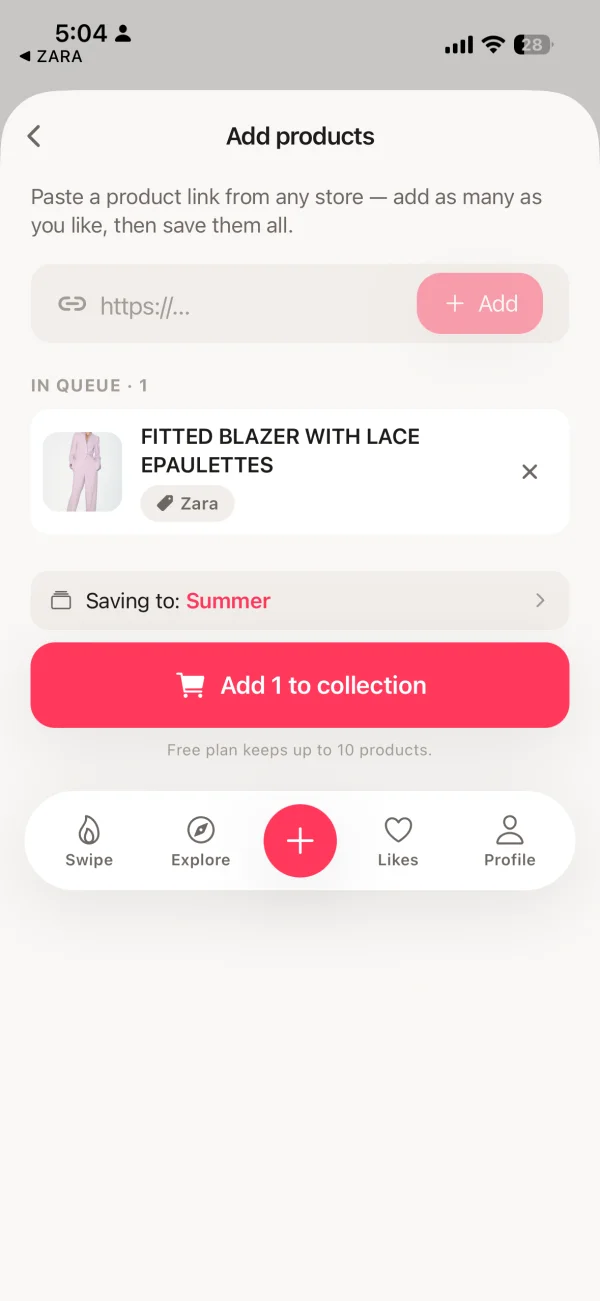
Paste any product URL. Spree extracts the title, price, and photo automatically.
Step 2: Upload your photo
When you first use Try On, Spree asks for a photo of yourself. A clear, well-lit, full-body shot works best. Natural light from a window gives the AI the most to work with. You only need to upload the photo once. Spree keeps it for your future try-ons, and you can replace it anytime.
Step 3: Tap Try On
Open any saved item in your collection. Tap the Try On button. The AI takes your photo and the product's image, then generates a new image showing you wearing that garment. Results appear in seconds, not minutes. The generated image sits alongside the product in your wishlist.
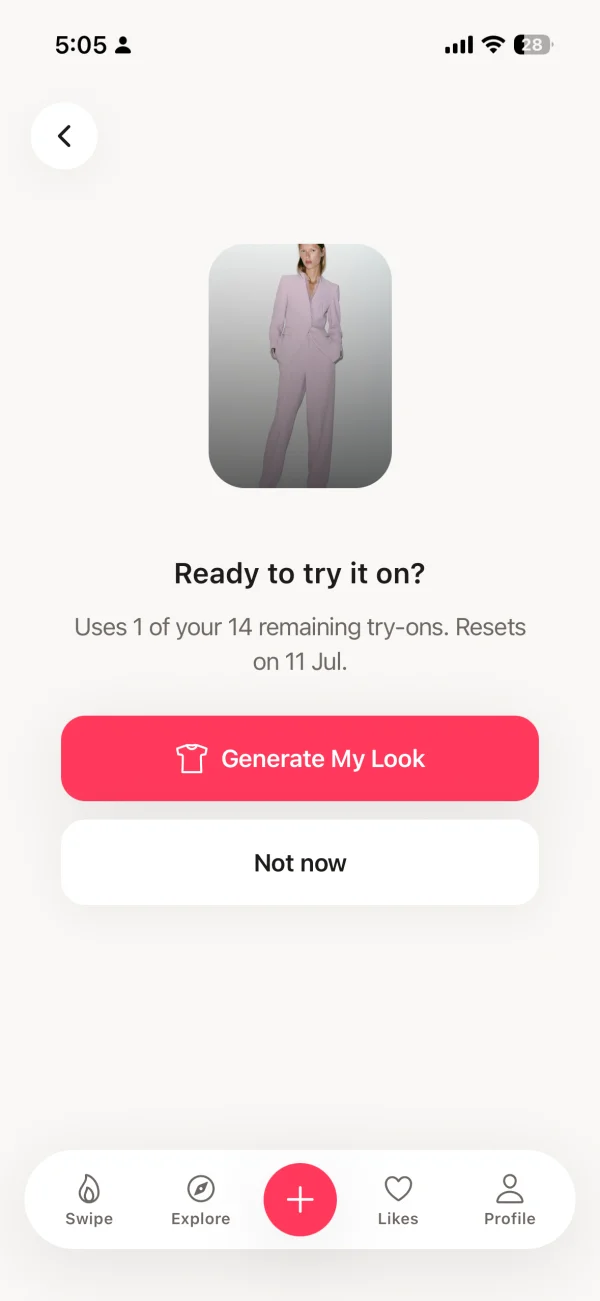
The AI try-on result appears in your wishlist. See the outfit on your photo before buying.
What Stores Does Spree Try On Work With?
Spree Try On works with any online store. This is the key difference from retailer-specific tools. According to a 2025 consumer survey by McKinsey, shoppers visit an average of 4.2 online stores per purchase journey before committing to a fashion buy. Retailer-built try-on tools help only within their own catalog. Spree works anywhere you can find a product URL.
If a store has a product page with a URL, Spree can import it. The iOS Share Sheet integration means you don't even need to copy and paste. You tap Share inside Safari, choose Spree, and the product is saved. It's the fastest way to build a cross-store wishlist.
Is Spree the Same as SpreeAI?
No. They are completely different products from different companies. This is a common point of confusion, so it's worth being precise.
| Aspect | Spree (tryspree.app) | SpreeAI (spreeai.com) |
|---|---|---|
| What it is | Free iPhone app for personal shopping | B2B enterprise SDK for fashion retailers |
| Who it's for | Everyday shoppers | Brands building try-on into their platform |
| How you access it | Download free from the App Store | License from SpreeAI as a business |
| Cost | Free + Pro $7.99/month | Enterprise pricing, not public |
| Store coverage | Any store, any URL | Depends on the retailer licensing it |
[UNIQUE INSIGHT] The confusion between the two names is understandable. If you searched for "Spree try on" and landed on spreeai.com, you were looking at a product for developers and retailers, not something you can download and use yourself. The app you want is at tryspree.app, free on the iPhone App Store.
Is Spree Try On Free?
The Spree app is free to download. There are no ads and no data selling on any plan. The AI Virtual Try-On feature is part of Spree Pro. The free tier includes everything else: import from any store, unlimited wishlisting, swipe-to-rank, and collections.
- Import from any store by URL
- iOS Share Sheet import
- Swipe to rank items
- Collections and boards
- No ads, no data selling
- Everything in Free
- AI Virtual Try-On credits
- Unlimited collections
- Priority support
- $49.99/year option
How Accurate Is Spree Try On?
AI virtual try-on is genuinely useful, and getting better fast. Retailers using virtual try-on technology report 64% fewer returns than those relying only on product photography (Rewarx, 2026). That number represents real purchase confidence, not just novelty. In our experience, the tool is most useful for checking color compatibility, silhouette, and overall style fit against your existing wardrobe.
[PERSONAL EXPERIENCE] We've found that structured garments, like jackets, blazers, and fitted tops, produce the most realistic results. Loose knitwear and heavily textured fabrics are harder for current models to render with full accuracy. The best approach is to treat Spree Try On as a strong pre-purchase filter. It won't replace the feel of a garment in your hands, but it will catch the obvious mismatches before money changes hands.
For best results: use a clear, full-body photo with good lighting and a simple background. Avoid photos with heavy shadows or patterned backgrounds behind you. The more clearly the AI can read your body contours, the more accurate the generated result.
Frequently Asked Questions
What is Spree Try On?
Spree Try On is the AI virtual try-on feature inside the Spree iPhone app. You upload a photo of yourself, save any clothing item from any online store, and tap Try On to see how that item looks on your actual body. No changing room or purchase required to see the result. The feature uses generative AI image synthesis to place the garment realistically onto your photo in seconds.
How do I use Spree Try On?
Download the free Spree app on your iPhone, then save any product by pasting its URL or sharing it from Safari using the iOS Share Sheet. Upload a clear, full-body photo of yourself when prompted. Then open any saved item in your collection and tap Try On. The AI generates an image showing how the garment looks on your photo. The whole process takes under a minute per item.
What do I need to use Spree Try On?
You need an iPhone running iOS 16 or later, a free Spree account, and one clear photo of yourself, ideally full-body and taken in good natural light. A Spree Pro subscription ($7.99/month or $49.99/year) unlocks AI try-on credits. The base app, with wishlisting and URL import from any store, is completely free to use.
Is Spree Try On free?
The Spree app is free to download, with no ads and no data selling on any plan. The AI Virtual Try-On feature is included in Spree Pro at $7.99 per month or $49.99 per year. The free tier covers unlimited wishlisting, URL import from any store, swipe-to-rank, and collections. You can explore the full app before deciding whether to upgrade.
Does Spree Try On work with all stores?
Yes. Spree Try On works with any online store that has a product page with a URL. Supported stores include Amazon, ASOS, Zara, H&M, Nike, Net-a-Porter, Shein, Mango, and over 1,000 others. Unlike retailer-built try-on tools such as Amazon's or Zara's, Spree is not locked to a single catalog. You can save items from ten different stores and try them all on in one session. See our guide to building a wishlist from multiple stores.
Is Spree the same as SpreeAI?
No. Spree (tryspree.app) is a free consumer iPhone app for personal shopping and AI virtual try-on. SpreeAI (spreeai.com) is a separate company that sells a B2B enterprise SDK to fashion retailers who want to add try-on to their own platforms. They are different products from different companies with different purposes. Spree is designed for everyday shoppers, not for businesses building try-on technology.
Ready to Try It?
Spree is free on the iPhone App Store. You can start building a wishlist from any store immediately, no account required. When you're ready to try on your saved items, upgrading to Pro takes seconds. No ads, no algorithmic pressure, no retailer lock-in.