Spree Try On

See how it looks on you, before you buy.

Upload a photo, save any item from any store, tap Try On — Spree's AI shows you the outfit on your actual body in seconds. Free iPhone app.
Spree Try On — AI virtual try-on showing outfit on a real photo

Spree Try On is the AI virtual try-on feature inside the Spree iPhone app. It lets any shopper upload a single photo, save a clothing item from any store via URL or iOS Share Sheet, and instantly generate a photorealistic image of that outfit on their own body — no changing room, no return shipping required. Spree launched in 2026 and is free to download on the App Store.
How it works

Three steps. Any store. Your body.

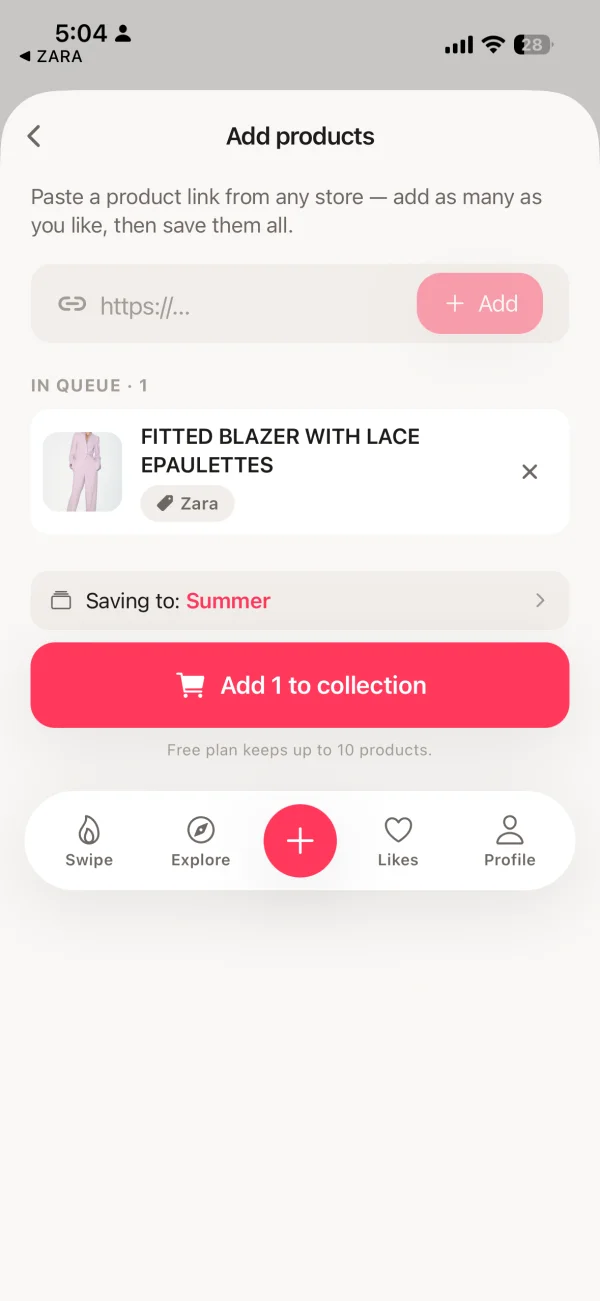
Pasting a product URL into Spree to save an item
1

Save any item

Paste a product URL from Amazon, ASOS, Zara, H&M, Nike — or use the iOS Share Sheet directly from Safari. Spree pulls the title, price, and photos automatically.
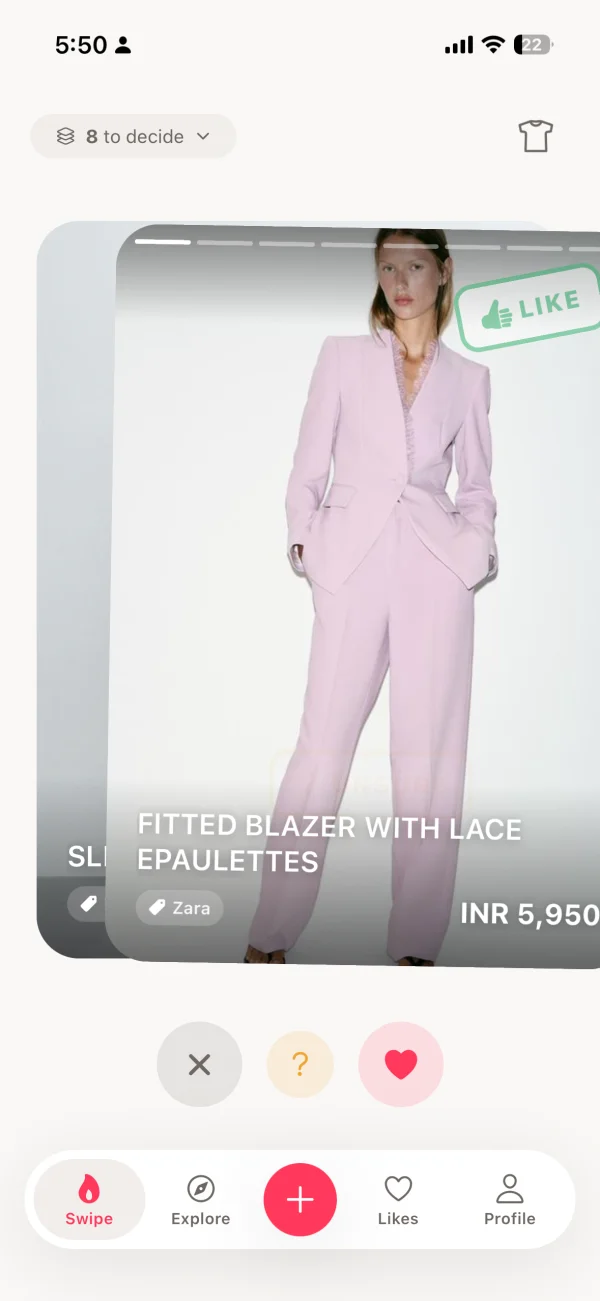
Swiping through wishlist items in Spree
2

Build your wishlist

Swipe right to keep, left to remove. Spree's swipe-to-rank system helps you cut your wishlist down to the pieces you actually want — before you spend anything.

AI virtual try-on result in Spree — outfit shown on user's real photo
3

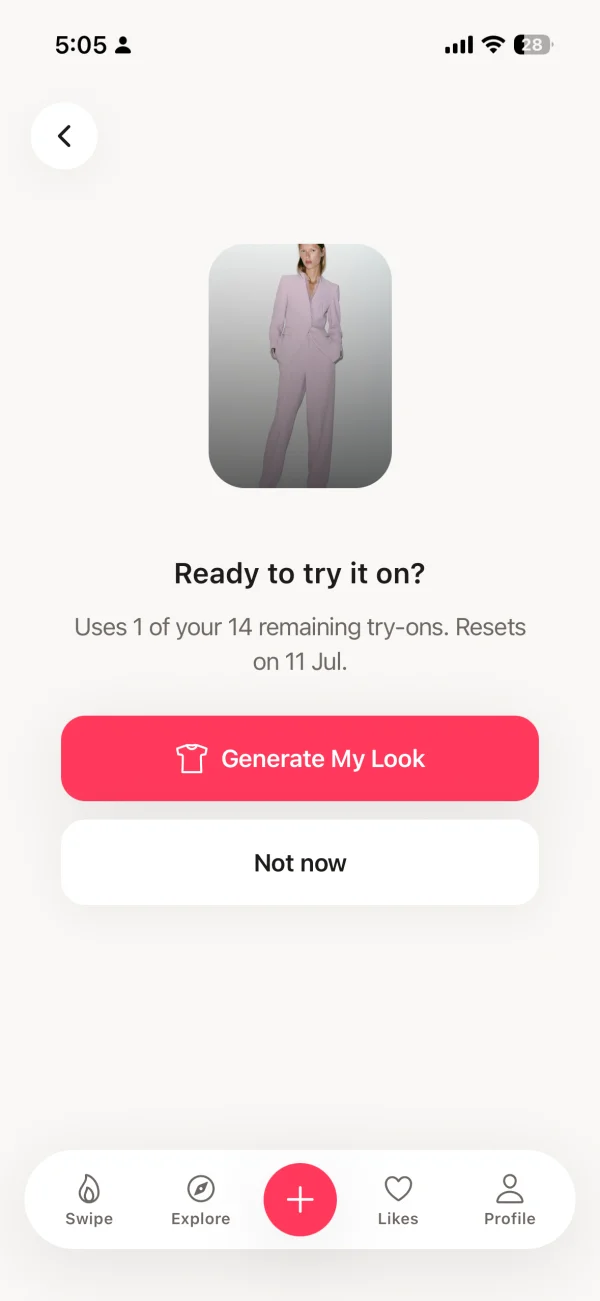
Try it on with AI

Upload your photo, tap any saved item, and get an AI-generated try-on in seconds. See exactly how the garment drapes on your body before clicking buy.

Spree (that's us) vs. SpreeAI — what's the difference?

Spree — tryspree.app

Free iPhone app for shoppers

  • Consumer app — free to download
  • Works across any online store (1,000+)
  • AI try-on on your own photo
  • Universal wishlist + swipe to rank
  • No ads, no data selling
  • Built for individual shoppers
SpreeAI — spreeai.com

B2B enterprise SDK for retailers

  • Enterprise software — not an app
  • Sold to fashion brands and retailers
  • Powers try-on on retailer websites
  • No personal wishlist or shopping tools
  • Requires brand partnership
  • Built for businesses, not shoppers
FAQ

Common questions about Spree Try On

What is Spree Try On?

Spree Try On is an AI virtual try-on feature inside the Spree iPhone app. You upload a photo of yourself, save any clothing item from any online store, and tap Try On to see how that outfit looks on your actual body — without a changing room or returning anything.

How does Spree Try On work?

Spree uses AI image synthesis to map a clothing item onto your uploaded photo. It takes two inputs — your photo and a product image from any store — and generates a photorealistic result showing how the garment drapes and fits on your specific body. The whole process takes a few seconds.

Is Spree the same as SpreeAI?

No. SpreeAI (spreeai.com) is a separate B2B company that sells virtual try-on technology to fashion brands and retailers. Spree (tryspree.app) is a free consumer iPhone app — it works across any store and is designed to help individuals decide what to buy, not to power a retailer's website.

Is Spree Try On free?

Yes. Spree is free to download and includes the AI virtual try-on feature. A Pro subscription ($7.99/month or $49.99/year) unlocks unlimited collections and saved items. No ads, no data selling on any plan.

What stores work with Spree Try On?

Spree Try On works with any online store — Amazon, ASOS, Zara, H&M, Nike, Net-a-Porter, Shein, Mango, and 1,000+ others. Paste the product URL into Spree, or use the iOS Share Sheet to send a product page directly from Safari or any shopping app.

What iPhone do I need for Spree Try On?

Spree runs on any iPhone with iOS 16 or later. No special hardware required — the AI try-on runs in the cloud, so any modern iPhone works.

Try it on before you buy it.

Free on iPhone. Works with Amazon, ASOS, Zara, H&M, Nike, and 1,000+ other stores.

Download Spree — Free
No ads · No data selling · Free to try